- Fougerite Compatibility
- 1.9.4 or +
- Plugin's Engine
- C# (Modules)
Discord BOT Bridge v7.2
(Gateway + Slash Commands + Plugin Interaction Replies)
▬▬▬▬▬▬▬▬▬▬▬▬▬▬▬▬▬▬▬▬▬▬▬▬▬▬▬▬▬▬
Modern real-time Discord integration for Rust Legacy (Fougerite)
Preview
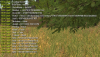
Live interaction between Discord and your Rust Legacy server
▬▬▬▬▬▬▬▬▬▬▬▬▬▬▬▬▬▬▬▬▬▬▬▬▬▬▬▬▬▬
Description
Discord BOT Bridge is a powerful real-time Discord integration system built specifically for Rust Legacy servers using Fougerite.
Instead of outdated webhook spam or polling systems, this plugin connects directly to the official Discord Gateway API through WebSocket connections and provides:
• Native Slash Commands
• Real-time Chat Bridge
• Dynamic Interaction Replies
• Discord ↔ Steam Linking
• DMs & Embeds
• Presence Control
• Role-Based Permissions
• Plugin API Hooks
• Runtime Command Registration
Everything is fully async, optimized and designed for production servers.
▬▬▬▬▬▬▬▬▬▬▬▬▬▬▬▬▬▬▬▬▬▬▬▬▬▬▬▬▬▬
 Main Features
- Native Slash Commands
Real Discord slash commands with no prefixes - Discord Gateway API
Real WebSocket communication with Discord - Plugin Interaction Replies
Reply directly to Discord interactions from JS plugins - Dynamic Slash Commands
Register slash commands at runtime from plugins - Advanced Discord Metadata
Username, mention, avatar, guild, roles, admin state & more - Role-Based Permissions
Restrict commands using Discord roles - Admin Moderation System
Ban, kick, unban, announce & airdrop support - Discord ↔ Rust Chat Bridge
Fully real-time in-game + Discord communication - Embed Chat System
Delete/repost messages as modern embeds - Avatar Support
Discord avatars inside embeds - Steam ↔ Discord Linking
Secure account linking system - DM System
Send private Discord messages to linked users - Presence Control
Playing / Watching / Streaming bot activities - Developer API
Interact with Discord from any plugin - Fully Async Architecture
Async HTTP + WebSocket architecture
▬▬▬▬▬▬▬▬▬▬▬▬▬▬▬▬▬▬▬▬▬▬▬▬▬▬▬▬▬▬
 Built-in Slash Commands
| Command | Description |
|---|---|
| /players | Shows online players |
| /status | Server status (Admin only) |
| /discord | Link Discord account |
| /announce | Broadcast announcement |
| /ban | Ban player or SteamID |
| /kick | Kick player |
| /unban | Unban SteamID/IP/Name |
| /airdrop | Launch airdrops |
▬▬▬▬▬▬▬▬▬▬▬▬▬▬▬▬▬▬▬▬▬▬▬▬▬▬▬▬▬▬
 Dynamic Command System
One of the biggest additions is the ability to dynamically create Discord slash commands directly from plugins or JS scripts.
• Receive parameters/options
• Check Discord roles
• Check admin permissions
• Send ephemeral replies
• Access Discord user information
• Trigger server events
• Reply directly to interactions
Example:
/dretaxgay target:KichDM times:4
Inside JS you receive:
• username
• globalName
• mention
• avatarUrl
• guildId
• channelId
• interactionToken
• roles
• isAdmin
• userId
▬▬▬▬▬▬▬▬▬▬▬▬▬▬▬▬▬▬▬▬▬▬▬▬▬▬▬▬▬▬
Discord Chat Bridge
Configure a Discord channel as global chat:
• Discord messages appear in-game
• In-game chat appears in Discord
• Messages are automatically deleted
• Messages are reposted as embeds
• Discord avatars are displayed
• Fully real-time
▬▬▬▬▬▬▬▬▬▬▬▬▬▬▬▬▬▬▬▬▬▬▬▬▬▬▬▬▬▬
sender.js (Examples & API Showcase)
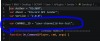
Change CHANNEL_ID and guild_discord!!
⚠ Important
The included sender.js file is NOT required for the core system to work.
It exists as:
• Example plugin
• API showcase
• Developer reference
• Learning template
It demonstrates how to use:
Plugin.SendMessage()
to interact with the DiscordBOT module.
Included sender.js Examples
• Registering dynamic slash commands
• Sending embeds
• Sending DMs
• Presence control
• Interaction replies
• Role-restricted commands
• Admin commands
• Channel messaging
• Linking checks
• Broadcast systems
• Discord interaction data usage
Included sender.js Commands
| Command | Description |
|---|---|
| /discorduserinfo | Fetch linked Discord account information |
| /sendchannel | Send a message directly to a Discord channel |
| /senddm | Send private Discord DM to linked account |
| /islinked | Check if Steam account is linked |
| /unlinkdiscord | Unlink Discord account |
| /botonline | Refresh bot presence |
| /botplaying | Set Playing activity |
| /botwatching | Set Watching activity |
| /botstream | Set Streaming activity |
| /registerdiscordcmduser | Register user slash command |
| /registerdiscordcmdadmin | Register admin-only command |
| /registerdiscordcmdrol | Register role-restricted command |
/discorduserinfo Example
sender.js also demonstrates:
• Dynamic interaction replies
• Discord role parsing
• Slash command callbacks
• Discord user data exposure
• Async request handling
• Presence updates
• Embed sending
• DM systems
▬▬▬▬▬▬▬▬▬▬▬▬▬▬▬▬▬▬▬▬▬▬▬▬▬▬▬▬▬▬
Developer API
DiscordBOT acts like a bridge API between Rust Legacy and Discord.
Plugin.SendMessage()
Using Plugin.SendMessage you can:
• Send embeds
• Send raw JSON
• Reply to Discord interactions
• Send DMs
• Create slash commands dynamically
• Update bot presence
• Build moderation systems
• Build raid/kill/join logs
• Integrate Discord into existing plugins
▬▬▬▬▬▬▬▬▬▬▬▬▬▬▬▬▬▬▬▬▬▬▬▬▬▬▬▬▬▬
How It Works
• Uses official Discord Gateway API
• Real WebSocket communication
• No webhook dependency
• No command channel spam
• Fully async HTTP + WS architecture
• Real-time event handling
• Optimized for production servers
▬▬▬▬▬▬▬▬▬▬▬▬▬▬▬▬▬▬▬▬▬▬▬▬▬▬▬▬▬▬
ConfigurationEdit settings.json:
{
"token": "YOUR_BOT_TOKEN",
"channel_chat": "YOUR_CHAT_CHANNEL_ID"
}
▬▬▬▬▬▬▬▬▬▬▬▬▬▬▬▬▬▬▬▬▬▬▬▬▬▬▬▬▬▬
Installation
- Create folder DiscordBOT
- Place DLL inside Fougerite Modules
- Place sender.js inside JsPlugins
- Configure settings.json
- Restart server
▬▬▬▬▬▬▬▬▬▬▬▬▬▬▬▬▬▬▬▬▬▬▬▬▬▬▬▬▬▬
DiscordBOT v7.2