Important How to Install Plugins?

Pruxis

New Member
Member
Sep 4, 2014
1
0
1
Administrator Edit: Your should read this instead.


Hello,

First of all I would like to mention that I have indeed read the tutorial and followed the steps correctly and succesfully installed Fougerite.

After a few attempts of installing the plugins I desire to use on my server I haven't seen them work a single time.

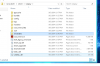
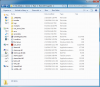
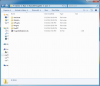
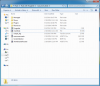
As you can see on the screenshot (http://i.imgur.com/NThpkDf.png) I have placed the resources into the Fougerite folder.

After restarting the plugins are still refusing to work for some reason.
Is there anything I am doing wrong? As I cannot see the reasoning behind the resources not working.
If anyone knows how to solve this, please post it below it'd be of great help.

Kind regards,
Pruxis
 
Last edited by a moderator:

CorrosionX

Plugin Developer
Plugin Developer
Sep 3, 2014
212
85
18
California
Took me 3 days to figure out how to install and get plugins working. It's a pain in the butt, needs to be better documentation, don't follow documentation listed, if you do, will be completely wrong and wont work.

Fougerite 1.0.5

Once you download the zip 1.0.5, extract it into the server MAIN/ROOT %ServerRoot%(folder with rust_server.exe). Patch the Assembly file as instructed in the Managed folder.

If you are using new, faster plugins built for Fougerite:

1. Start by editing the Fougerite.cfg file in rust_server_data, comment out MagmaPlugin (put a ; infront), uncomment JintPlugin (remove the ; ). You may also comment any other Modules you dont/want or need, such as RustPP.

2. Go into the Modules folder in %ServerRoot%, move the JintPlugin\jsint.dll to Managed folder and overwrite file(or rename old first to .bak).

3. Go back into the Modules\folder, modify the ignoredmodules.txt, removing "JintPlugin", and adding "MagmaPlugin".

4. Go into %ServerRoot%\save" and create a folder named JsPlugins. Good time to go into each of these folders and modify any settings you want if you have these Modules enabled before continuing.

5. Move/add ALL of your Fougerite plugins/modded Magma plugins into this folder. This included cfg, ini, and .js files. Each will have their own folder. Ex. %ServerRoot%\save\JsPlugins\%pluginname%\

6. Modify any configs you already have in any of these files.

7. Start server, wait for it to finish loading up and make sure no errors/issues. Stop the server, then go back and modify any cfg files you didn't have before in the %ServerRoot%\save\JsPlugins\%pluginname%\ folders.

8. Once satisfied, restart the server, Donate to Devs for being so awesome, and Enjoy!


If you are using old MagmaPlugin:

1. Put all your MagmaPlugins into %ServerRoot%\save\MagmaPlugin folder. Ex. %ServerRoot%\save\MagmaPlugin\%pluginname% . Drop++ will already be in there if you are in correct folder.

2. Modify any plugin configs you already have in any of these folders.

3. Modify any Modules config's you are using in %ServerRoot%\save\ to your liking.

4. Start your server, then stop and modify any configs you didn't have before in MagmaPlugin's folder.

5. Once satisfied, restart the server, Donate to Devs for being so awesome, and Enjoy!

NOTES <-&-> Updates
Update:Folder name for Fougerite plugins should be JsPlugins. I updated tutorial to reflect this.
Also if you are still having issues, Check my post with images:
http://fougerite.com/threads/how-to-install-plugins.137/#post-988

Update 2: So, there is a bug with Fougerite 1.0.5, your folder name's cant have any spaces in them, else plugins wont load. I recommend moving them to Root/Top of your HDD (C: usually) until fixed. Oh and yes with this version, when you join shows 1.0.4, another bug i reported XD

Fougerite 1.0.7, or Fougerite MC5 or above.

Ready?
1. Download and extract Fougerite 1.0.7 either over your old v1.0.5 server files
OR
Download fresh vanilla and extract into Legacy server folder then goto rust_server_data\Managed and run the batch file named FOUPATCH.BAT

a. If this is an upgrade from 1.0.5 then overwrite everything. This will overwrite your rust++/fougerite.cfg and other custom files, backup the modified configuration files/rust++ admins before doing this else you will have to reconfigure/re-add admins.

2. Config your new files and add your plugins to Save\ folder with correct module folder for the plugin you are using.
a. For upgraders, they are now it different locations listed in this post http://fougerite.com/threads/fougerite-mc.148/#post-1117:

3. Done! Start your server and enjoy!

How to install plugins on 1.0.7 or above.

\\--> Notes

1. Since MC5, Logs are now located in (PublicFolder\Logs). Default

2. If you don't want it to announce your Fougerite version on join, modify Save\Fougerite.cfg --> ;tellversion=false to tellversion=false

3. Put any Magma plugins in \plugins\Magma\
??How do you know if your plugin is for Magma??
a. Downloaded from GoMagma.org (plugins are typically buggy when used from here, just a warning)
b. On Fougerite Resources on the Plugin pages, at the top near plugin name, will say //--> Plugin's Engine: Jint (Magma Plugin)

4. Drop++ in MC5 is glitched, I would recommend moving it or deleting it. It will produce an error on server start. Has already been reported: http://fougerite.com/threads/fougerite-mc.148/page-2#post-1583
 
Last edited by a moderator:

.phase

Member
Member
Jul 29, 2014
58
12
8
Southern California
Good man! Thank you kind sir. I have not tried this yet, but reading through it, I'm sure this will work for me.

I knew I must have been missing something horribly when I tried to convert my Magma scripts to Fougerite:
added the //Fougerite keyword in the first line, made all my adjustments, uncommented JintPlugin...no dice. Plugin load ignored? WTF?

Didn't realize I had to comment out Magma. From what I understood reading through all of mikec's posts, the modules were independent and he had separated them to run independently, but also side-by-side. There was definitely a lot of info to absorb there, though; I could have completely mistaken something.

Anyway, cheers for this!

Question:
Drop++ is currently under the Magma legacy module. If I disable Magma, I'm screwed aren't I?

I know mikec mentioned a C# version of Drop++ in the works.
 

CorrosionX

Plugin Developer
Plugin Developer
Sep 3, 2014
212
85
18
California
I am not 100% sure if they can run side by side without issues. From what I read, one or other. There is a bunch of info to absorb, I agree. It's kinda scattered making it harder to understand.

Question:
Drop++ is currently under the Magma legacy module. If I disable Magma, I'm screwed aren't I?
Yes, if you want to try running them side by send let me know how it turns out. Kinda curious cause they use diff versions of jint I believe...so
 

DreTaX

Probably knows the answer...
Administrator
Jun 29, 2014
4,093
4,784
113
At your house.
github.com
Hello,

First of all I would like to mention that I have indeed read the tutorial and followed the steps correctly and succesfully installed Fougerite.

After a few attempts of installing the plugins I desire to use on my server I haven't seen them work a single time.

As you can see on the screenshot (http://i.imgur.com/NThpkDf.png) I have placed the resources into the Fougerite folder.

After restarting the plugins are still refusing to work for some reason.
Is there anything I am doing wrong? As I cannot see the reasoning behind the resources not working.
If anyone knows how to solve this, please post it below it'd be of great help.

Kind regards,
Pruxis
Took me 3 days to figure out how to install and get plugins working. It's a pain in the butt, needs to be better documentation, don't follow documentation listed, if you do, will be completely wrong and wont work.

Once you download the zip 1.05, extract it into the server MAIN/ROOT %ServerRoot%(folder with rust_server.exe). Patch the Assembly file as instructed in the Managed folder.

If you are using new, faster plugins built for Fougerite:

1. Start by editing the Fougerite.cfg file in rust_server_data, comment out MagmaPlugin (put a ; infront), uncomment JintPlugin (remove the ; ). You may also comment any other Modules you dont/want or need, such as RustPP.

2. Go into the Modules folder in %ServerRoot%, move the JintPlugin\jsint.dll to Managed folder and overwrite file(or rename old first to .bak).

3. Go back into the Modules\folder, modify the ignoredmodules.txt, removing "JintPlugin", and adding "MagmaPlugin".

4. Go into %ServerRoot%\save" and create a folder named JsPlugin. Good time to go into each of these folders and modify any settings you want if you have these Modules enabled before continuing.

5. Move/add ALL of your Fougerite plugins/modded Magma plugins into this folder. This included cfg, ini, and .js files. Each will have their own folder. Ex. %ServerRoot%\save\JsPlugin\%pluginname%\

6. Modify any configs you already have in any of these files.

7. Start server, wait for it to finish loading up and make sure no errors/issues. Stop the server, then go back and modify any cfg files you didn't have before in the %ServerRoot%\save\JsPlugin\%pluginname%\ folders.

8. Once satisfied, restart the server, Donate to Devs for being so awesome, and Enjoy!


If you are using old MagmaPlugin:

1. Put all your MagmaPlugins into %ServerRoot%\save\MagmaPlugin folder. Ex. %ServerRoot%\save\MagmaPlugin\%pluginname% . Drop++ will already be in there if you are in correct folder.

2. Modify any plugin configs you already have in any of these folders.

3. Modify any Modules config's you are using in %ServerRoot%\save\ to your liking.

4. Start your server, then stop and modify any configs you didn't have before in MagmaPlugin's folder.

5. Once satisfied, restart the server, Donate to Devs for being so awesome, and Enjoy!
Thanks for the clean up. Well yeah, i shall copy & paste ur post due to the old posts.
 

Aerothan

New Member
Member
Sep 5, 2014
17
1
1
Followed the instructions above (even went back over them a couple of times) and i still can't seem to get the plugins to work.
 
  • Informative
Reactions: CorrosionX

CorrosionX

Plugin Developer
Plugin Developer
Sep 3, 2014
212
85
18
California
Thanks for the clean up. Well yeah, i shall copy & paste ur post due to the old posts.
NP. Glad to help. Not the first time I have use modded server files... curious if anyone remembers metamod XD

Yup, I definitely mistook some info. It's one or the other new Jint module or legacy Magma:
http://fougerite.com/threads/jint-2-2-module-and-jint-0-9-module.36/#post-137
Yeah, that's what I thought I read. Glad we have that cleared up. :)

Followed the instructions above (even went back over them a couple of times) and i still can't seem to get the plugins to work.
Are you using Magma or JsPlugin module?
 
  • Like
Reactions: .phase

CorrosionX

Plugin Developer
Plugin Developer
Sep 3, 2014
212
85
18
California
Followed the instructions above (even went back over them a couple of times) and i still can't seem to get the plugins to work.
Going to give some screenshots to make sure we are on same page.

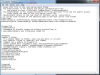
Fougerite.cfg
Code:
[Modules]
;module = folder
; if a module needs no folder, just use any word, or no word
; only modules listed in [Modules] are loaded
; comment out a module to disable it
; Запись должна быть следующего вида: имя_модуля=папка_для_конфигов
; Загружаются только модули, перечисленные в разделе [Modules]
; Закомментируйте строку с плагином чтобы отключить его
;MagmaPlugin=Magma
JintPlugin=JsPlugins
;IronPythonModule=PyPlugins
GlitchFix=GlitchFix
Anticheat=Anticheat
RustPP=RustPP
DropPP=DropPP
;ServerTests=on
%ServerRoot%
serverroot.png

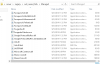
Managed Folder (patcher + new version of Jint.dll)
Managed.png

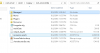
rust_server_data folder:
rust_server_data.png

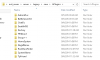
JsPlugins folder:
JsPlugins.png


EDIT: folder name should be JsPlugins not JsPlugin! XD
 
  • Informative
  • Friendly
Reactions: DreTaX and .phase

Scrapyard Films

New Member
Member
Sep 4, 2014
5
0
1
Hey unfortunately I'm on the same page as plugin's aren't working for me either.

Followed your tutorial to the "T".

Fougerite works.
Rust++ shows up when i enter my server.

The plugins im using for starters is TpFriend and DestroyMode.

Placed them in the JsPlugins folder, restarted server, and still nothing.. I'll provide some SS's.

1.png 2.png 3.png 4.png 5.png 6.png 7.png
 

CorrosionX

Plugin Developer
Plugin Developer
Sep 3, 2014
212
85
18
California
Question for both of you, did you move the jint.dll from the
Code:
%ServerRoot%\modules\JintPlugin
to

Code:
%ServerRoot%\rust_server_data\Managed
And remove the JintPlugin from the %ServerRoot%\modules\ignoredmodules.txt

I would also suggest taking a look at \logs folder with the current date log file. Should show the reason it is not loading or the error.
 
Last edited:

Aerothan

New Member
Member
Sep 5, 2014
17
1
1
Code:
[9/5/2014 6:21:27 PM] [Debug] [Util] "rust_dedicated\Legacy\Save\" to "rust_dedicated\Legacy\Save\"
[9/5/2014 6:21:27 PM] [Debug] [AC] Config inited!
[9/5/2014 6:21:27 PM] [Debug] [AC] pingTimer started - interval 30
[9/5/2014 6:21:27 PM] [Debug] [AC] takeCoordsTimer started - interval 1
[9/5/2014 6:21:27 PM] [Debug] [AC] Loaded!
[9/5/2014 6:21:27 PM] [Console] [Modules] Module Anticheat v1.0.0.0 (by Riketta, Skippi, DreTaX) initiated.
[9/5/2014 6:21:27 PM] [Console] [Modules] Module GlitchFix v1.0.0.0 (by dretax14) initiated.
[9/5/2014 6:21:27 PM] [Error] [Modules] Module "JintPlugin" has thrown an exception during initialization. System.IO.DirectoryNotFoundException: Directory 'rust_dedicated\Legacy\Save\JsPlugins' not found.
  at System.IO.Directory.GetFileSystemEntries (System.String path, System.String searchPattern, FileAttributes mask, FileAttributes attrs) [0x00000] in <filename unknown>:0
  at System.IO.Directory.GetDirectories (System.String path, System.String searchPattern) [0x00000] in <filename unknown>:0
  at System.IO.DirectoryInfo.GetDirectories (System.String searchPattern) [0x00000] in <filename unknown>:0
  at System.IO.DirectoryInfo.GetDirectories () [0x00000] in <filename unknown>:0
  at (wrapper remoting-invoke-with-check) System.IO.DirectoryInfo:GetDirectories ()
  at JintPlugin.JintPluginModule+<GetPluginNames>d__0.MoveNext () [0x00000] in <filename unknown>:0
  at JintPlugin.JintPluginModule.ReloadPlugins () [0x00000] in <filename unknown>:0
  at JintPlugin.JintPluginModule.Initialize () [0x00000] in <filename unknown>:0
  at Fougerite.ModuleContainer.Initialize () [0x00000] in <filename unknown>:0
  at Fougerite.ModuleManager.LoadModules () [0x00000] in <filename unknown>:0
[9/5/2014 6:21:27 PM] [Console] [Modules] Module JintPlugin v1.2.2.0 (by Riketta, mikec) initiated.
[9/5/2014 6:21:28 PM] [Console] [Modules] Module RustPP v1.1.6.0 (by xEnt22) initiated.
[9/5/2014 6:21:28 PM] [Exception] [ DataStore->Load | Hooks->ServerStarted | Bootstrap->Start | ]
System.IO.EndOfStreamException: Failed to read past end of stream.
  at System.IO.BinaryReader.ReadByte () [0x00000] in <filename unknown>:0
  at System.Runtime.Serialization.Formatters.Binary.ObjectReader.ReadNextObject (System.IO.BinaryReader reader) [0x00000] in <filename unknown>:0
  at System.Runtime.Serialization.Formatters.Binary.ObjectReader.ReadObjectGraph (BinaryElement elem, System.IO.BinaryReader reader, Boolean readHeaders, System.Object& result, System.Runtime.Remoting.Messaging.Header[]& headers) [0x00000] in <filename unknown>:0
  at System.Runtime.Serialization.Formatters.Binary.BinaryFormatter.NoCheckDeserialize (System.IO.Stream serializationStream, System.Runtime.Remoting.Messaging.HeaderHandler handler) [0x00000] in <filename unknown>:0
  at System.Runtime.Serialization.Formatters.Binary.BinaryFormatter.Deserialize (System.IO.Stream serializationStream) [0x00000] in <filename unknown>:0
  at Fougerite.Util.HashtableFromFile (System.String path) [0x00000] in <filename unknown>:0
  at Fougerite.DataStore.Load () [0x00000] in <filename unknown>:0
[9/5/2014 7:44:39 PM] [Debug] [Util] "rust_dedicated\Legacy\Modules\" to "C:\Users\Administrator\Desktop\steamcmd\steamapps\common\rust_dedicated\Legacy\Modules\"
[9/5/2014 7:44:39 PM] [Debug] [Util] "rust_dedicated\Legacy\Save\" to "rust_dedicated\Legacy\Save\"
[9/5/2014 7:44:39 PM] [Console] [Modules] Loading modules...
[9/5/2014 7:44:39 PM] [Debug] [Modules] Module Found: Anticheat.dll
[9/5/2014 7:44:39 PM] [Debug] [Modules] Loading assembly: Anticheat.dll
[9/5/2014 7:44:39 PM] [Debug] [Modules] Checked Anticheat.AnticheatModule
[9/5/2014 7:44:39 PM] [Debug] [Modules] Instance created: Anticheat.AnticheatModule
[9/5/2014 7:44:39 PM] [Debug] [Modules] Module added: Anticheat.dll
[9/5/2014 7:44:39 PM] [Debug] [Modules] Module Found: GlitchFix.dll
[9/5/2014 7:44:39 PM] [Debug] [Modules] Loading assembly: GlitchFix.dll
[9/5/2014 7:44:39 PM] [Debug] [Modules] Checked GlitchFix.GlitchFix
[9/5/2014 7:44:39 PM] [Debug] [Modules] Instance created: GlitchFix.GlitchFix
[9/5/2014 7:44:39 PM] [Debug] [Modules] Module added: GlitchFix.dll
[9/5/2014 7:44:39 PM] [Debug] [Modules] Module Found: JintPlugin.dll
[9/5/2014 7:44:39 PM] [Debug] [Modules] Loading assembly: JintPlugin.dll
[9/5/2014 7:44:39 PM] [Debug] [Modules] Checked JintPlugin.JintPluginModule
[9/5/2014 7:44:39 PM] [Debug] [Modules] Instance created: JintPlugin.JintPluginModule
[9/5/2014 7:44:39 PM] [Debug] [Modules] Module added: JintPlugin.dll
[9/5/2014 7:44:39 PM] [Debug] [Modules] MagmaPlugin is not configured to be loaded.
[9/5/2014 7:44:39 PM] [Debug] [Modules] Module Found: RustPP.dll
[9/5/2014 7:44:39 PM] [Debug] [Modules] Loading assembly: RustPP.dll
[9/5/2014 7:44:39 PM] [Debug] [Modules] Checked RustPP.RustPPModule
[9/5/2014 7:44:39 PM] [Debug] [Modules] Instance created: RustPP.RustPPModule
[9/5/2014 7:44:39 PM] [Debug] [Modules] Module added: RustPP.dll
[9/5/2014 7:44:39 PM] [Debug] [Modules] ServerTests is not configured to be loaded.
[9/5/2014 7:44:39 PM] [Debug] [AC] Loading...
 

CorrosionX

Plugin Developer
Plugin Developer
Sep 3, 2014
212
85
18
California
Code:
[9/5/2014 6:21:27 PM] [Debug] [Util] "rust_dedicated\Legacy\Save\" to "rust_dedicated\Legacy\Save\"
[9/5/2014 6:21:27 PM] [Debug] [AC] Config inited!
[9/5/2014 6:21:27 PM] [Debug] [AC] pingTimer started - interval 30
[9/5/2014 6:21:27 PM] [Debug] [AC] takeCoordsTimer started - interval 1
[9/5/2014 6:21:27 PM] [Debug] [AC] Loaded!
[9/5/2014 6:21:27 PM] [Console] [Modules] Module Anticheat v1.0.0.0 (by Riketta, Skippi, DreTaX) initiated.
[9/5/2014 6:21:27 PM] [Console] [Modules] Module GlitchFix v1.0.0.0 (by dretax14) initiated.
[9/5/2014 6:21:27 PM] [Error] [Modules] Module "JintPlugin" has thrown an exception during initialization. System.IO.DirectoryNotFoundException: Directory 'rust_dedicated\Legacy\Save\JsPlugins' not found.
  at System.IO.Directory.GetFileSystemEntries (System.String path, System.String searchPattern, FileAttributes mask, FileAttributes attrs) [0x00000] in <filename unknown>:0
  at System.IO.Directory.GetDirectories (System.String path, System.String searchPattern) [0x00000] in <filename unknown>:0
  at System.IO.DirectoryInfo.GetDirectories (System.String searchPattern) [0x00000] in <filename unknown>:0
  at System.IO.DirectoryInfo.GetDirectories () [0x00000] in <filename unknown>:0
  at (wrapper remoting-invoke-with-check) System.IO.DirectoryInfo:GetDirectories ()
  at JintPlugin.JintPluginModule+<GetPluginNames>d__0.MoveNext () [0x00000] in <filename unknown>:0
  at JintPlugin.JintPluginModule.ReloadPlugins () [0x00000] in <filename unknown>:0
  at JintPlugin.JintPluginModule.Initialize () [0x00000] in <filename unknown>:0
  at Fougerite.ModuleContainer.Initialize () [0x00000] in <filename unknown>:0
  at Fougerite.ModuleManager.LoadModules () [0x00000] in <filename unknown>:0
[9/5/2014 6:21:27 PM] [Console] [Modules] Module JintPlugin v1.2.2.0 (by Riketta, mikec) initiated.
[9/5/2014 6:21:28 PM] [Console] [Modules] Module RustPP v1.1.6.0 (by xEnt22) initiated.
[9/5/2014 6:21:28 PM] [Exception] [ DataStore->Load | Hooks->ServerStarted | Bootstrap->Start | ]
System.IO.EndOfStreamException: Failed to read past end of stream.
  at System.IO.BinaryReader.ReadByte () [0x00000] in <filename unknown>:0
  at System.Runtime.Serialization.Formatters.Binary.ObjectReader.ReadNextObject (System.IO.BinaryReader reader) [0x00000] in <filename unknown>:0
  at System.Runtime.Serialization.Formatters.Binary.ObjectReader.ReadObjectGraph (BinaryElement elem, System.IO.BinaryReader reader, Boolean readHeaders, System.Object& result, System.Runtime.Remoting.Messaging.Header[]& headers) [0x00000] in <filename unknown>:0
  at System.Runtime.Serialization.Formatters.Binary.BinaryFormatter.NoCheckDeserialize (System.IO.Stream serializationStream, System.Runtime.Remoting.Messaging.HeaderHandler handler) [0x00000] in <filename unknown>:0
  at System.Runtime.Serialization.Formatters.Binary.BinaryFormatter.Deserialize (System.IO.Stream serializationStream) [0x00000] in <filename unknown>:0
  at Fougerite.Util.HashtableFromFile (System.String path) [0x00000] in <filename unknown>:0
  at Fougerite.DataStore.Load () [0x00000] in <filename unknown>:0
[9/5/2014 7:44:39 PM] [Debug] [Util] "rust_dedicated\Legacy\Modules\" to "C:\Users\Administrator\Desktop\steamcmd\steamapps\common\rust_dedicated\Legacy\Modules\"
[9/5/2014 7:44:39 PM] [Debug] [Util] "rust_dedicated\Legacy\Save\" to "rust_dedicated\Legacy\Save\"
[9/5/2014 7:44:39 PM] [Console] [Modules] Loading modules...
[9/5/2014 7:44:39 PM] [Debug] [Modules] Module Found: Anticheat.dll
[9/5/2014 7:44:39 PM] [Debug] [Modules] Loading assembly: Anticheat.dll
[9/5/2014 7:44:39 PM] [Debug] [Modules] Checked Anticheat.AnticheatModule
[9/5/2014 7:44:39 PM] [Debug] [Modules] Instance created: Anticheat.AnticheatModule
[9/5/2014 7:44:39 PM] [Debug] [Modules] Module added: Anticheat.dll
[9/5/2014 7:44:39 PM] [Debug] [Modules] Module Found: GlitchFix.dll
[9/5/2014 7:44:39 PM] [Debug] [Modules] Loading assembly: GlitchFix.dll
[9/5/2014 7:44:39 PM] [Debug] [Modules] Checked GlitchFix.GlitchFix
[9/5/2014 7:44:39 PM] [Debug] [Modules] Instance created: GlitchFix.GlitchFix
[9/5/2014 7:44:39 PM] [Debug] [Modules] Module added: GlitchFix.dll
[9/5/2014 7:44:39 PM] [Debug] [Modules] Module Found: JintPlugin.dll
[9/5/2014 7:44:39 PM] [Debug] [Modules] Loading assembly: JintPlugin.dll
[9/5/2014 7:44:39 PM] [Debug] [Modules] Checked JintPlugin.JintPluginModule
[9/5/2014 7:44:39 PM] [Debug] [Modules] Instance created: JintPlugin.JintPluginModule
[9/5/2014 7:44:39 PM] [Debug] [Modules] Module added: JintPlugin.dll
[9/5/2014 7:44:39 PM] [Debug] [Modules] MagmaPlugin is not configured to be loaded.
[9/5/2014 7:44:39 PM] [Debug] [Modules] Module Found: RustPP.dll
[9/5/2014 7:44:39 PM] [Debug] [Modules] Loading assembly: RustPP.dll
[9/5/2014 7:44:39 PM] [Debug] [Modules] Checked RustPP.RustPPModule
[9/5/2014 7:44:39 PM] [Debug] [Modules] Instance created: RustPP.RustPPModule
[9/5/2014 7:44:39 PM] [Debug] [Modules] Module added: RustPP.dll
[9/5/2014 7:44:39 PM] [Debug] [Modules] ServerTests is not configured to be loaded.
[9/5/2014 7:44:39 PM] [Debug] [AC] Loading...
Code:
Directory 'rust_dedicated\Legacy\Save\JsPlugins' not found.
Missed my other post..lol
Originally I posted "JsPlugin" as folder name which actually should be "JsPlugins". Should work fine after this fix. :)
 

Scrapyard Films

New Member
Member
Sep 4, 2014
5
0
1
same with him. figured out other issues i was having and i officially got the 'Rusty' admin tool working. and logged myself in as admin.

Just plugins aren't working.