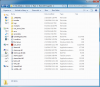
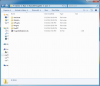
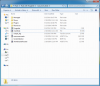
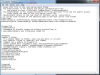
Took me 3 days to figure out how to install and get plugins working. It's a pain in the butt, needs to be better documentation, don't follow documentation listed, if you do, will be completely wrong and wont work.
Fougerite 1.0.5
Once you download the zip 1.0.5, extract it into the server MAIN/ROOT
%ServerRoot%(folder with rust_server.exe). Patch the Assembly file as instructed in the Managed folder.
If you are using new, faster plugins built for Fougerite:
1. Start by editing the Fougerite.cfg file in rust_server_data,
comment out
MagmaPlugin (put a ; infront),
uncomment JintPlugin (remove the ; ). You may also comment any other Modules you dont/want or need, such as RustPP.
2. Go into the Modules folder in %ServerRoot%, move the JintPlugin\jsint.dll to Managed folder and overwrite file(or rename old first to .bak).
3. Go back into the Modules\folder, modify the ignoredmodules.txt, removing "JintPlugin", and adding "MagmaPlugin".
4. Go into %ServerRoot%\save" and create a folder named
JsPlugins. Good time to go into each of these folders and modify any settings you want if you have these Modules enabled before continuing.
5. Move/add ALL of your Fougerite plugins/modded Magma plugins into this folder. This included cfg, ini, and .js files. Each will have their own folder. Ex. %ServerRoot%\save\
JsPlugins\%pluginname%\
6. Modify any configs you already have in any of these files.
7. Start server, wait for it to finish loading up and make sure no errors/issues. Stop the server, then go back and modify any cfg files you didn't have before in the %ServerRoot%\save\
JsPlugins\%pluginname%\ folders.
8. Once satisfied, restart the server, Donate to Devs for being so awesome, and Enjoy!
If you are using old MagmaPlugin:
1. Put all your MagmaPlugins into %ServerRoot%\save\MagmaPlugin folder. Ex. %ServerRoot%\save\MagmaPlugin\%pluginname% . Drop++ will already be in there if you are in correct folder.
2. Modify any plugin configs you already have in any of these folders.
3. Modify any Modules config's you are using in %ServerRoot%\save\ to your liking.
4. Start your server, then stop and modify any configs you didn't have before in MagmaPlugin's folder.
5. Once satisfied, restart the server, Donate to Devs for being so awesome, and Enjoy!
NOTES <-&-> Updates
Update:Folder name for Fougerite plugins should be JsPlugin
s. I updated tutorial to reflect this.
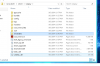
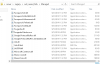
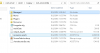
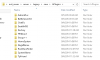
Also if you are still having issues, Check my post with images:
http://fougerite.com/threads/how-to-install-plugins.137/#post-988
Update 2: So, there is a bug with Fougerite 1.0.5, your folder name's cant have any spaces in them, else plugins wont load. I recommend moving them to Root/Top of your HDD (C: usually) until fixed. Oh and yes with this version, when you join shows 1.0.4, another bug i reported XD
Fougerite 1.0.7, or Fougerite MC5 or above.
Ready?
1. Download and extract Fougerite 1.0.7 either over your old v1.0.5 server files
OR
Download fresh vanilla and extract into Legacy server folder then goto rust_server_data\Managed and run the batch file named FOUPATCH.BAT
a. If this is an upgrade from 1.0.5 then overwrite everything. This will overwrite your rust++/fougerite.cfg and other custom files, backup the modified configuration files/rust++ admins before doing this else you will have to reconfigure/re-add admins.
2. Config your new files and add your plugins to Save\ folder with correct module folder for the plugin you are using.
a. For upgraders, they are now it different locations listed in this post
http://fougerite.com/threads/fougerite-mc.148/#post-1117:
3. Done! Start your server and enjoy!
How to install plugins on 1.0.7 or above.
\\--> Notes
1. Since MC5, Logs are now located in (PublicFolder\Logs). Default
2. If you don't want it to announce your Fougerite version on join, modify Save\Fougerite.cfg --> ;tellversion=false to tellversion=false
3. Put any Magma plugins in \plugins\Magma\
??How do you know if your plugin is for Magma??
a. Downloaded from GoMagma.org (plugins are typically buggy when used from here, just a warning)
b. On Fougerite Resources on the Plugin pages, at the top near plugin name, will say //--> Plugin's Engine: Jint (Magma Plugin)
4. Drop++ in MC5 is glitched, I would recommend moving it or deleting it. It will produce an error on server start. Has already been reported:
http://fougerite.com/threads/fougerite-mc.148/page-2#post-1583