Your obviously not using Fougerite then.Probably still Yes - I have no admin can kill and radiation and calories

Your obviously not using Fougerite then.Probably still Yes - I have no admin can kill and radiation and calories
[4/30/2016 00:45:02] MojonPopo|181.52.5.85|Console|RadiationHackProbably still Yes - I have no admin can kill and radiation and calories


 Greetz
I did not test by meself i have no idwa how its work or how they do it that is biggest problem.But if they do it with dizzy EAC should detect thatDid you test by yourself if wallhack is possible?
They are probably using ceiling hacks (dizzy).

I dont like your story hahaha xD Dont know server is not laging that much i will try to test it by meself and will see what happend.Ty for your help(from my observations) Anticheat will prevent going through walls only when client will send his information so fast that server will have chance to react.
One solution what I would suggest you may be bad for you, but should help for sure... if you are THAT motivated - restrict your server only for closest area. For example if your server is located in Germany, welcome only people for Poland, Denmark, Czech Republic, French etc.
In addition try to make player limit on level where server is never lagging.
Why all of that? To keep their ping low. Rust will show low ping even when player have huge lags - for example where server is lagging itself. When player have connections problems he don't send that many information about his position what anticheat needs.
So at the end of day - you can do nothing. Have many admins and check every player, sometimes undercover.
When I had server I was only one admin for most of it's time. Everybody liked me, server, I gained big community, then I decided to go undercover, with different name. Some of cheaters were even most trusted players, their last words was almost always "but everybody cheat..."
From gamma settings through player location to fly hacks. 90% players cheat, even your future admins.
End of story
Introducing the Loom class, that is able to call unsafe methods from sub threads, on the main thread.
This update should clear out most of the dangerous crash messages, mostly caused my Player.Disconnect()
Testing with a C# timer, the log comes up with:
[5/13/2016 1:32:57 PM] [Error] Same? 6 - 1
[5/13/2016 1:32:57 PM] [Error] Nope, invoking
[5/13/2016 1:32:57 PM] [Error] Same? 1 - 1
The log shows that after detecting that the call is being made from a different thread, It starts doing It...
Not a fougerite problem.
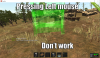
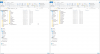
- How to fix that?...look png file.
- I pressing left mouse (left click) and does not work... why?
The problem you have with the game?You installed any plugins?
- How to fix that?...look png file.
- I pressing left mouse (left click) and does not work... why?
Not a fougerite problem.
Version?
I have default plugin why now i download itThe problem you have with the game?You installed any plugins?
Why premade 1.0.8?
- Permade 1.0.8 + new version 1.4.2
- With the premade fougerite me work all but with the new fougerite 1.4.2 not work...
Download clean/fresh legacy files.why is the original fougerite ? i think
from where I can download it (clean/fresh)Download clean/fresh legacy files.
Then download Fougerite 1.4.2 and patch